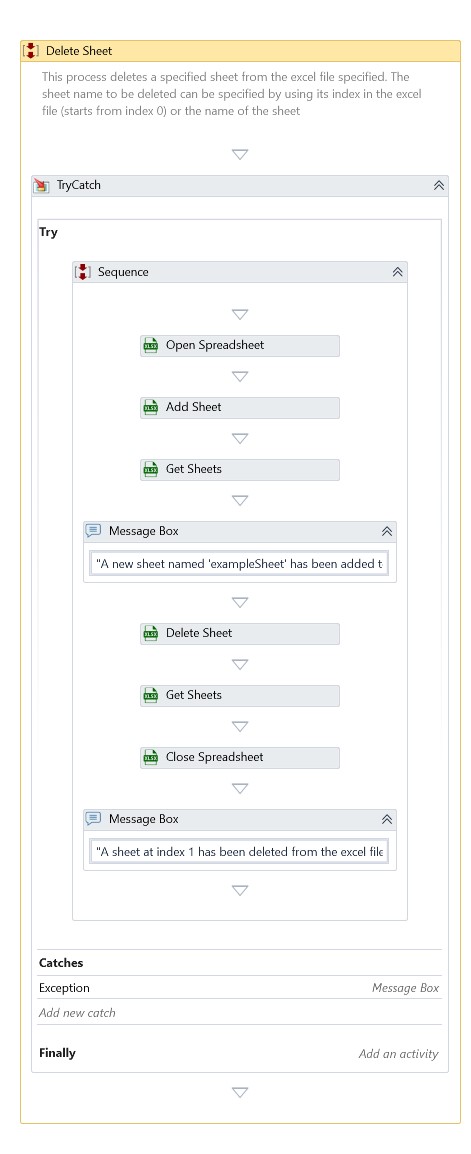
Delete Sheet
Description
This activity deletes the specified spreadsheet from the specified Excel Workbook.
Properties
Input
- Sheet Index – Specify the zero-based index of the spreadsheet to delete from the Workbook. For more information, refer: Sheet Index
- Sheet Name – Alternately, specify the name of the spreadsheet to delete. For more information, refer: Sheet Name
- Spreadsheet – Specify the Excel Workbook instance.
Misc
- DisplayName – Add a display name to your activity.
- Private – By default, activity will log the values of your properties inside your workflow. If private is selected, then it stops logging.
Optional
- Continue On Error – Specifies if the automation should continue even when the activity throws an error. This field only supports Boolean values (True, False). The default value is False.
Note: If this activity is included in Try Catch and the value of this property is True, no error is caught when the project is executed.
Example
Download Example