Browser Extensions
IntelliBuddies Browser Extension is fundamental for our IntelliAppZ to perform Web Automation. These extensions can autonomously recognize user interface elements in browser settings, ensuring precise XPath detection by selectors.
IntelliBuddies offers support for the following browser extensions for web automation:
Install/Uninstall Browser Extensions
To install or uninstall Browser Extensions in AppZ Box, click the extensions button beside the refresh button. This option provides choices for installing, upgrading, and removing browser extensions.
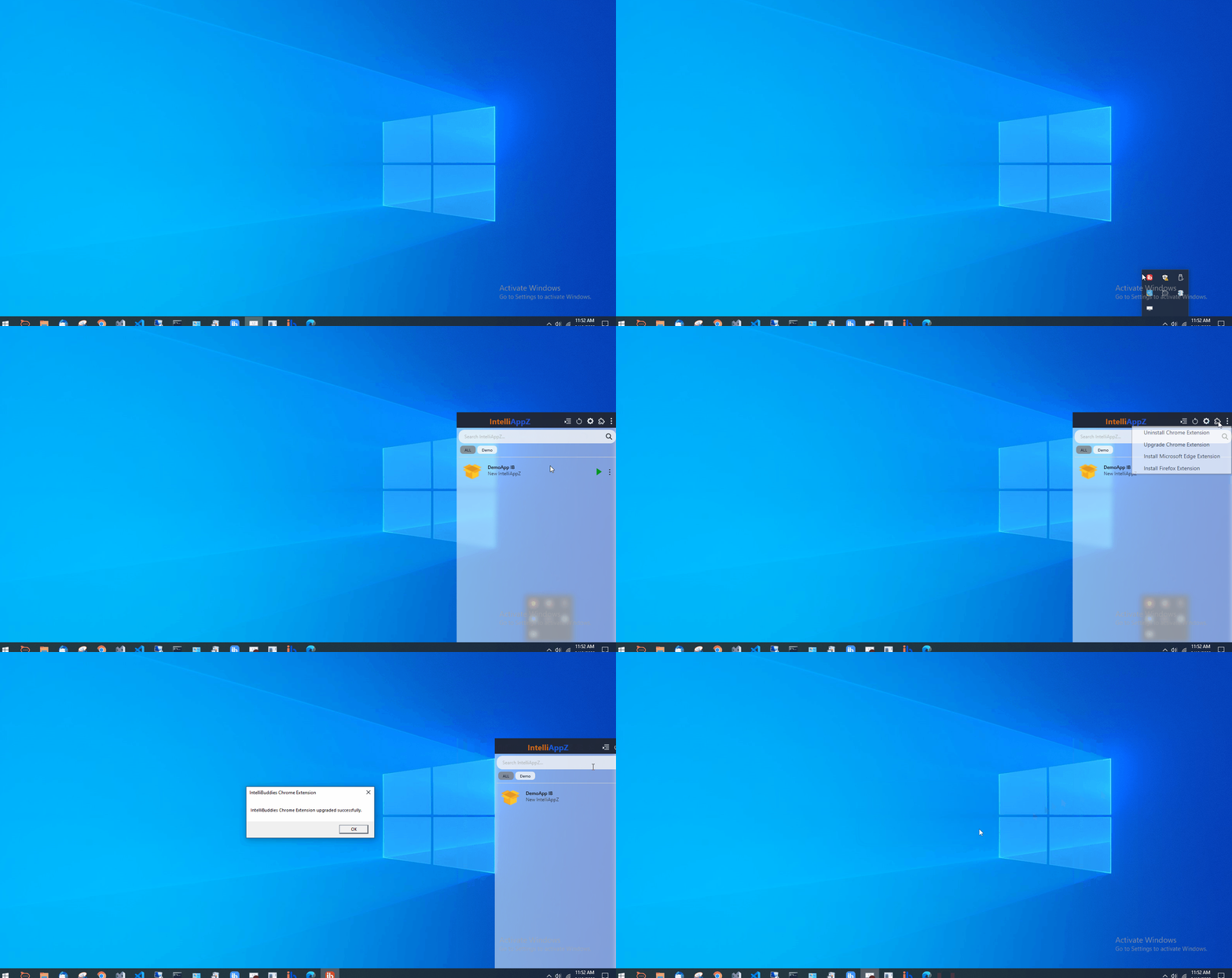
Install Chrome Extension
To utilize web automation with the Chrome browser using IntelliAppZ, you must install the Chrome browser Extension. Select the Install Chrome Extension option from the menu and install the IntelliBuddies Chrome Extension.
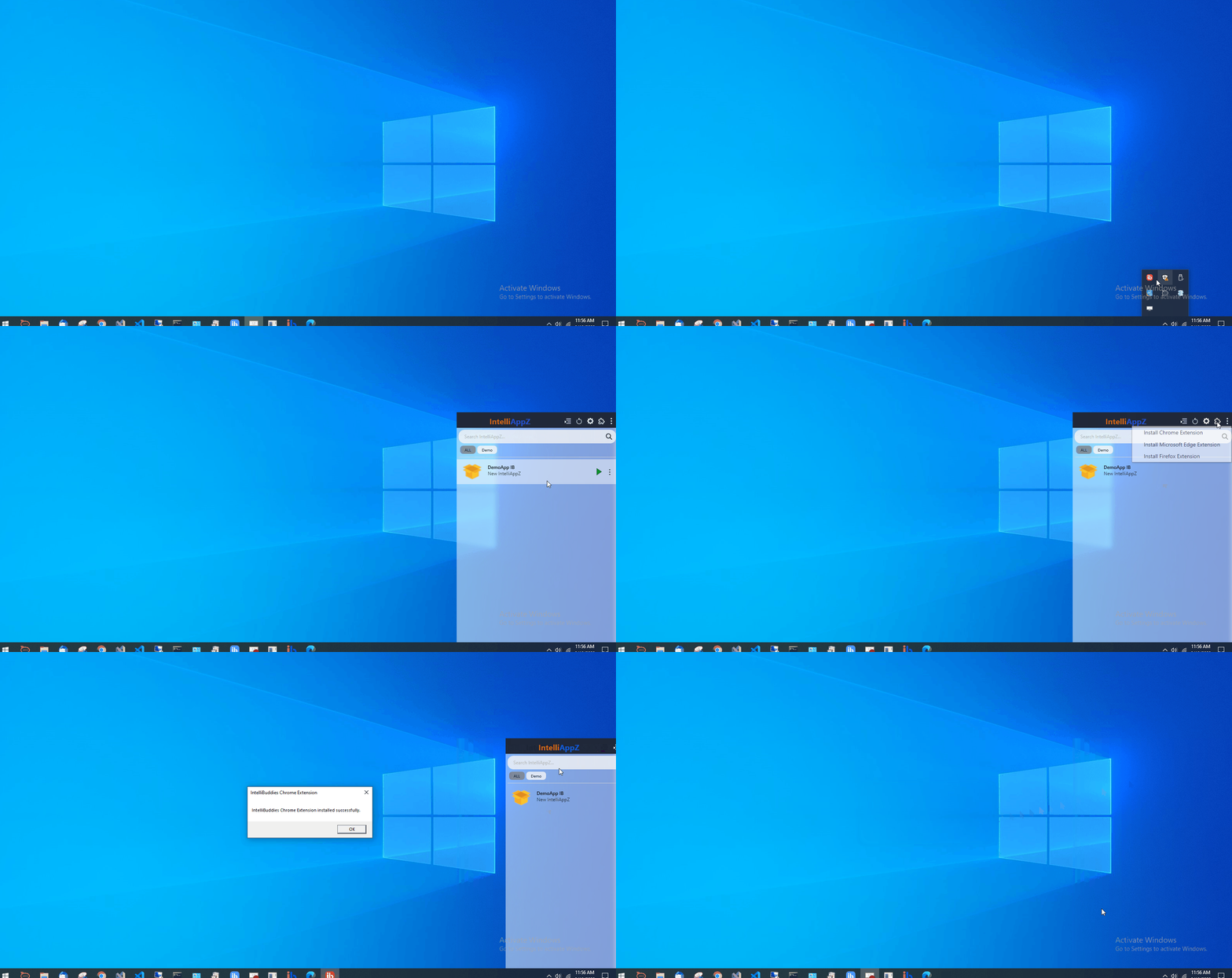
Uninstall Chrome Extension
Select the option labeled Uninstall Chrome Extension to remove the Chrome extension.
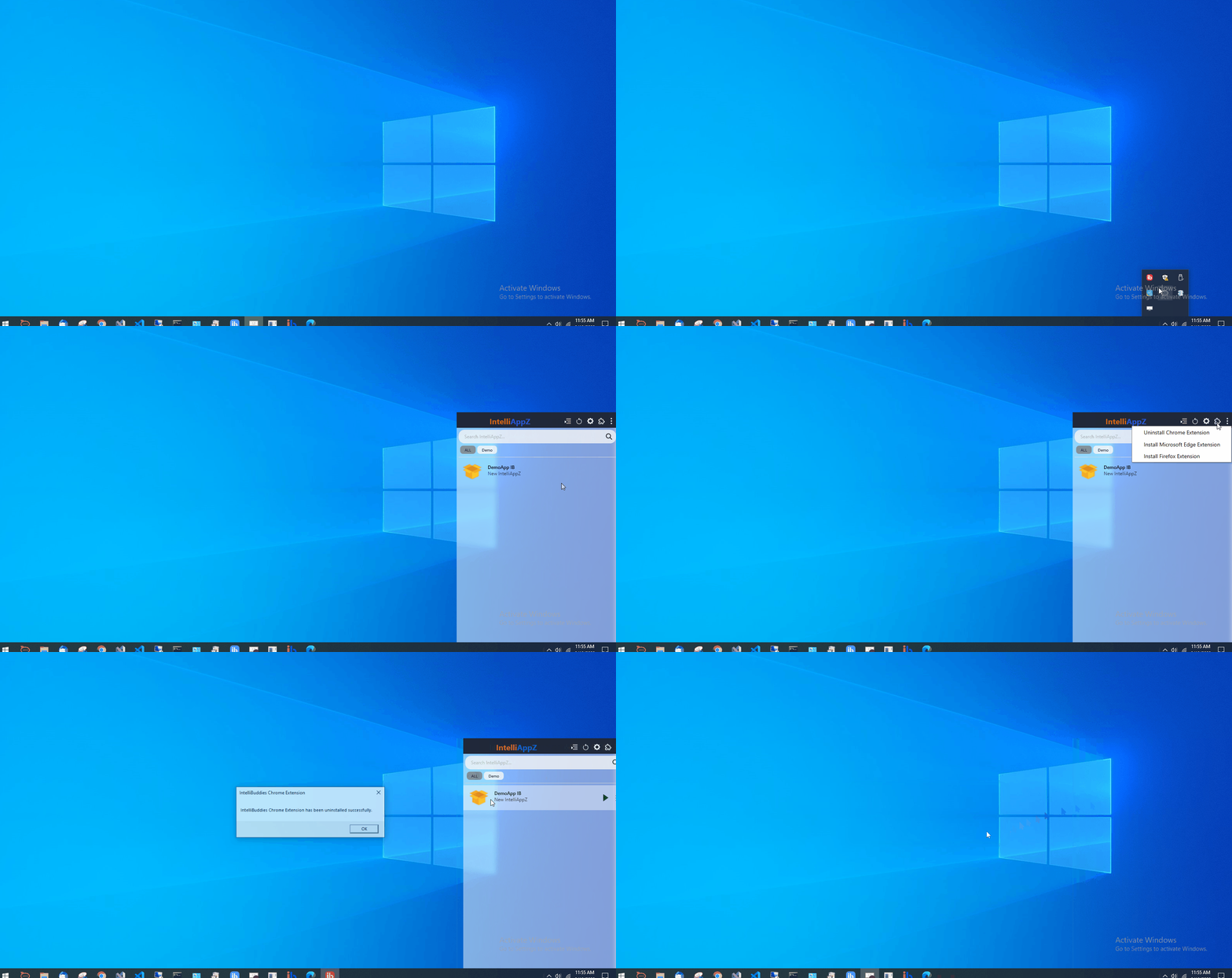
Upgrade Chrome Extension
We have upgraded our IntelliBuddies Chrome Extension to comply with the V3 security policy. If your installed IntelliAppZ requires the updated Chrome extension, you can easily upgrade it by selecting the Upgrade Chrome Extension option from the menu.
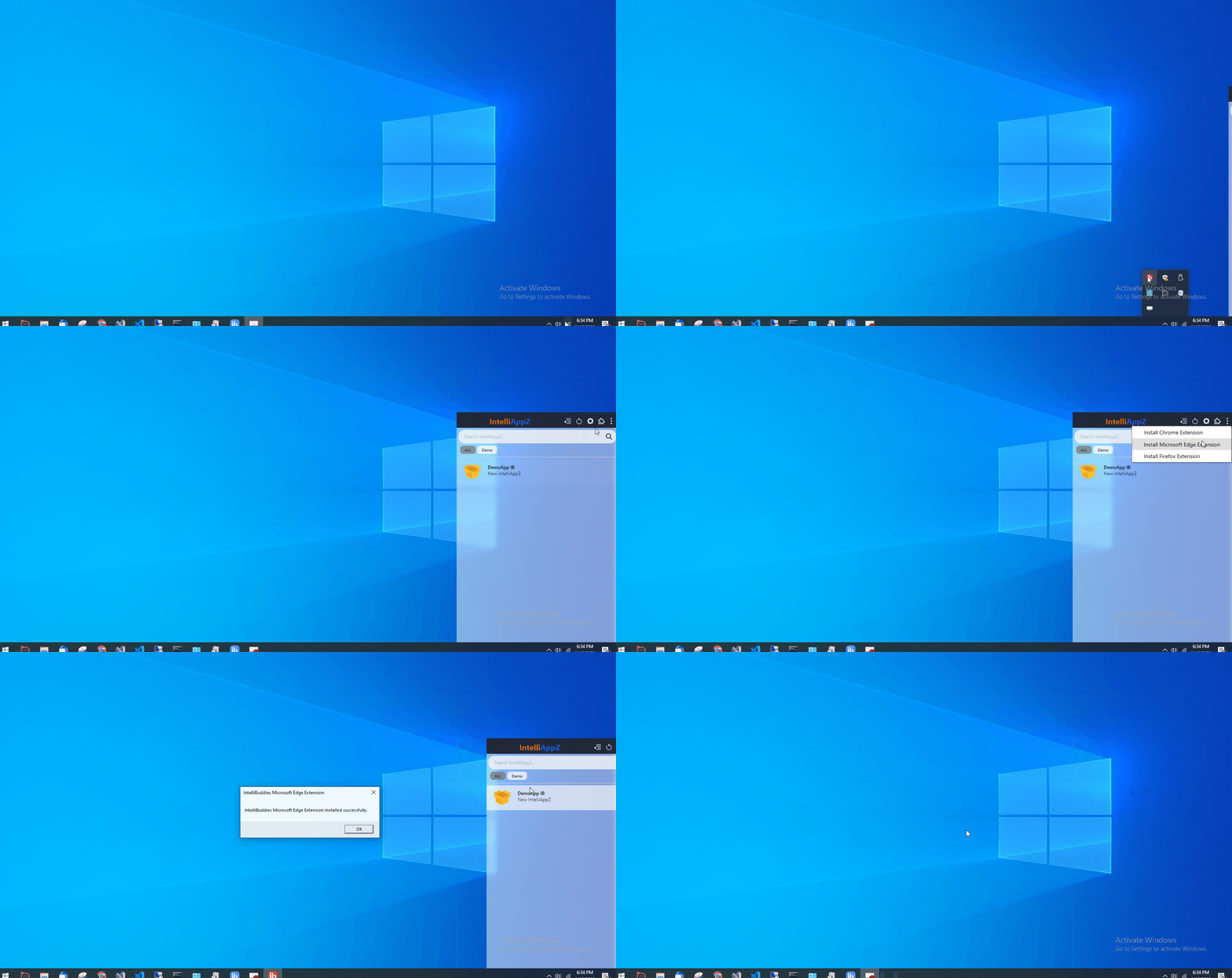
Install Microsoft Edge Extension
To enable web automation with the Microsoft Edge browser using IntelliAppZ, you need to install the IntelliBuddies Microsoft Edge Extension. You can select the Install Microsoft Edge Extension option from the menu.
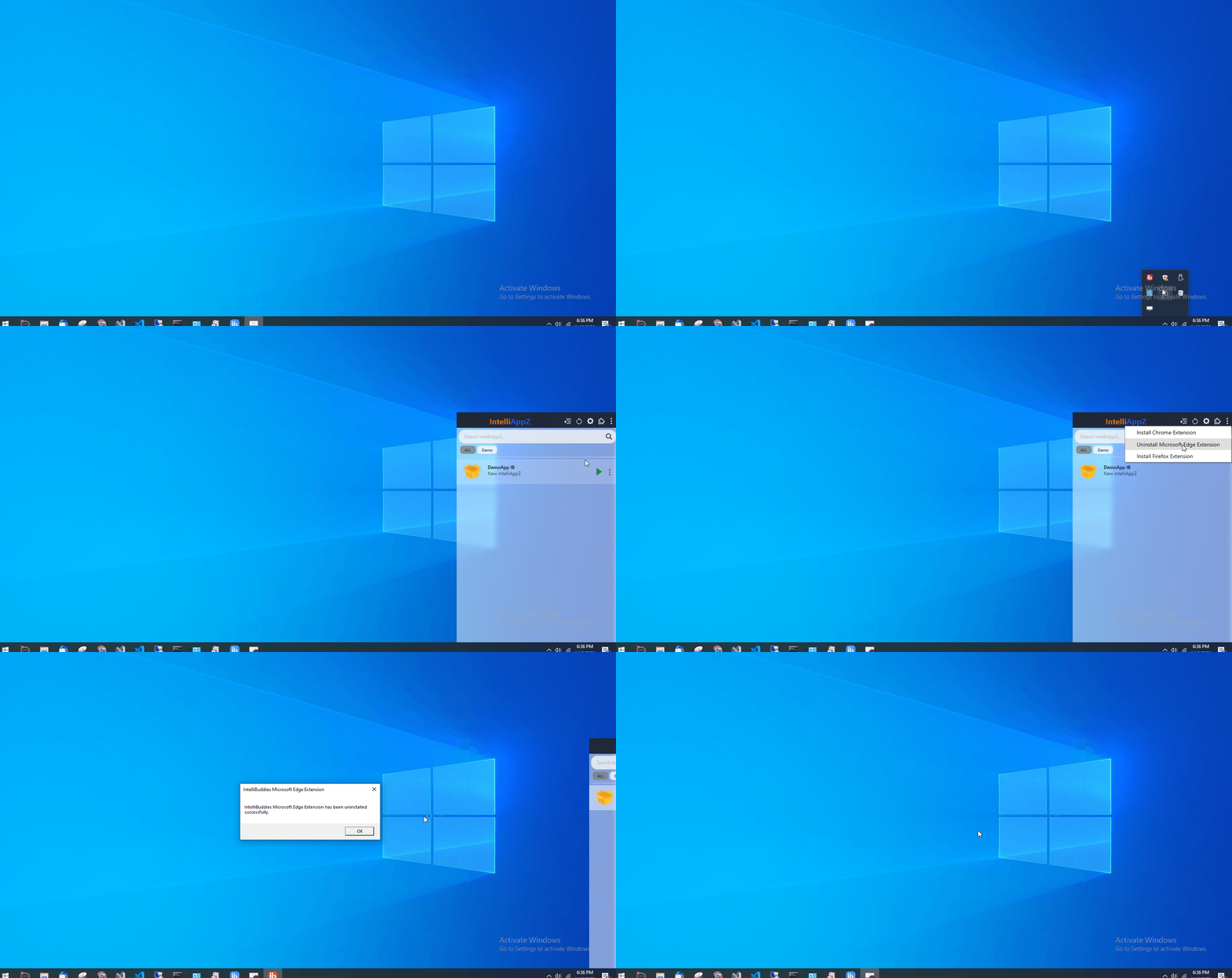
Uninstall Microsoft Edge Extension
Select the Uninstall Microsoft Edge Extension option to remove the Chrome extension.
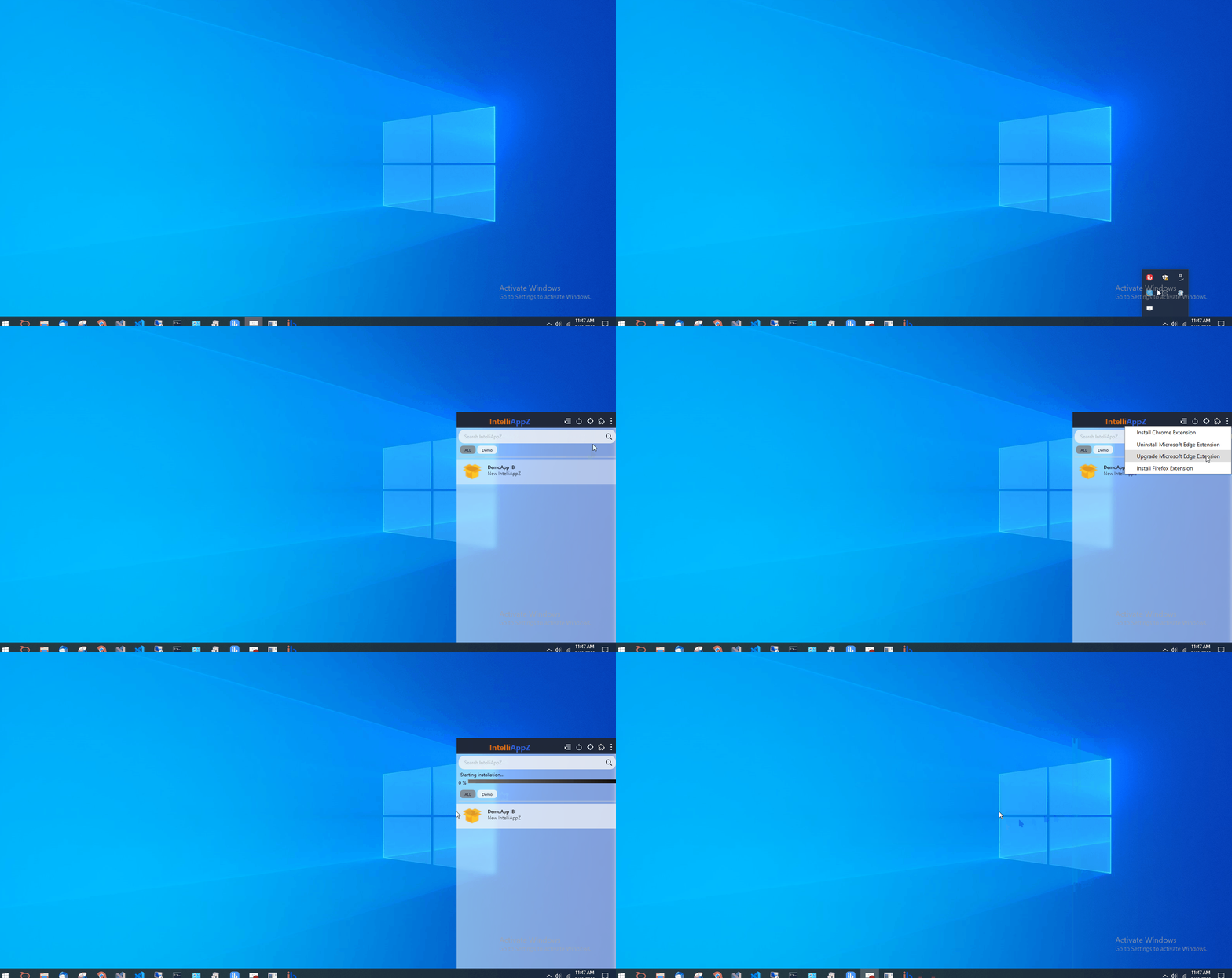
Upgrade Microsoft Edge Extension
If you have installed IntelliAppZ and require the latest version of the Microsoft Edge extension, click on the Upgrade Microsoft Edge Extension option in the menu to upgrade it.
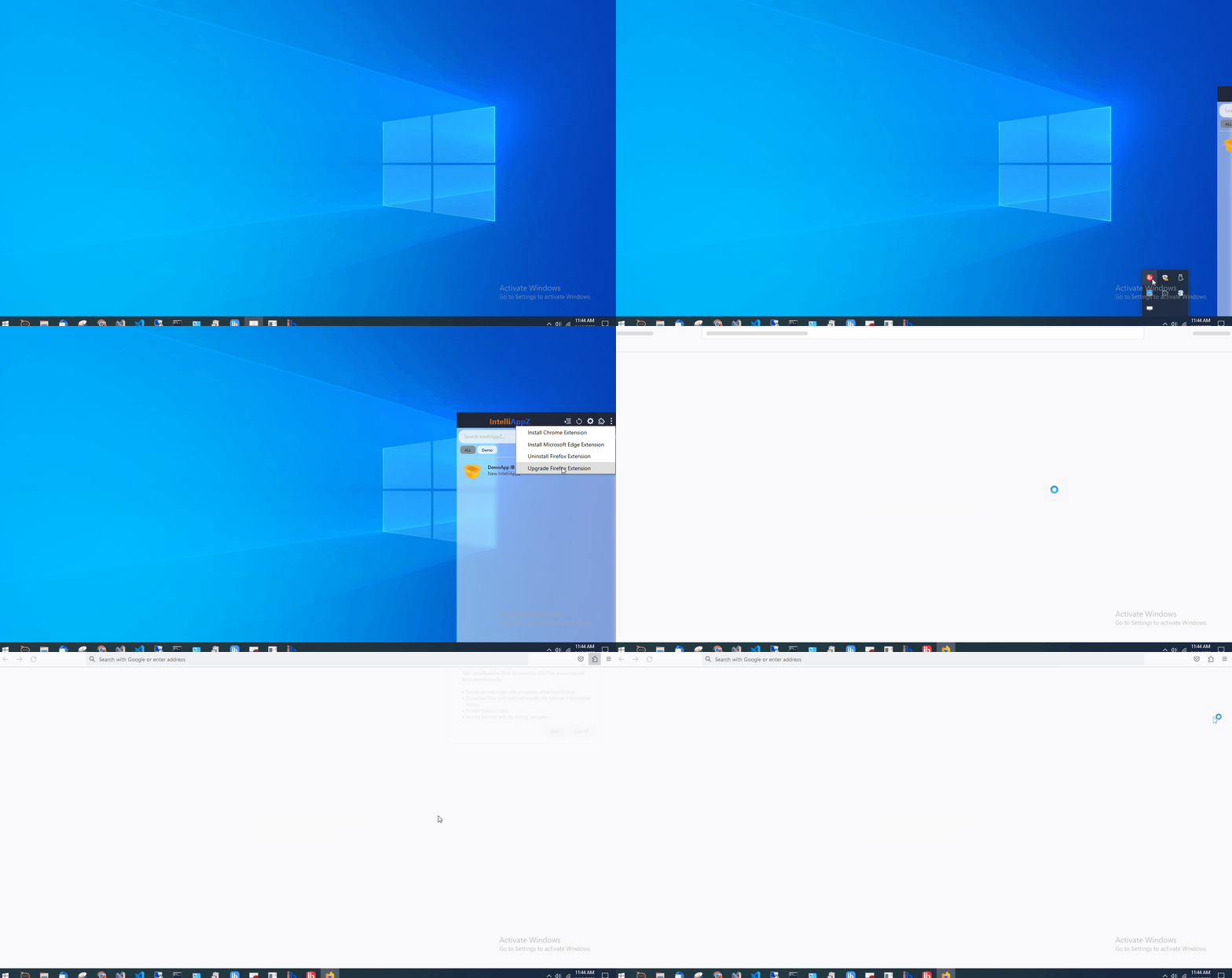
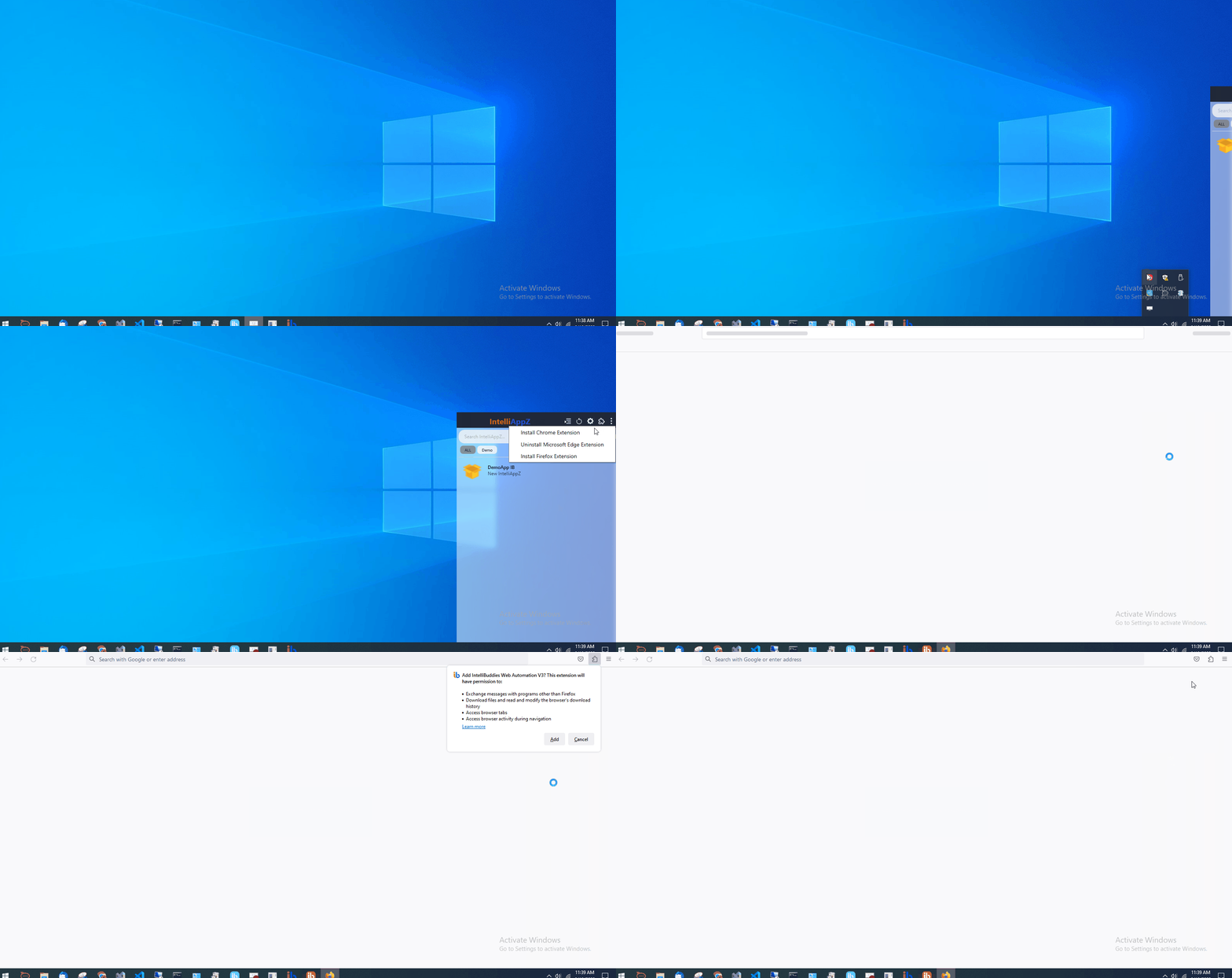
Install Firefox Extension
Installing the Firefox browser extension is necessary to automate web tasks using IntelliAppZ on Firefox. Click on the Install Firefox Extension option in the menu to do so.
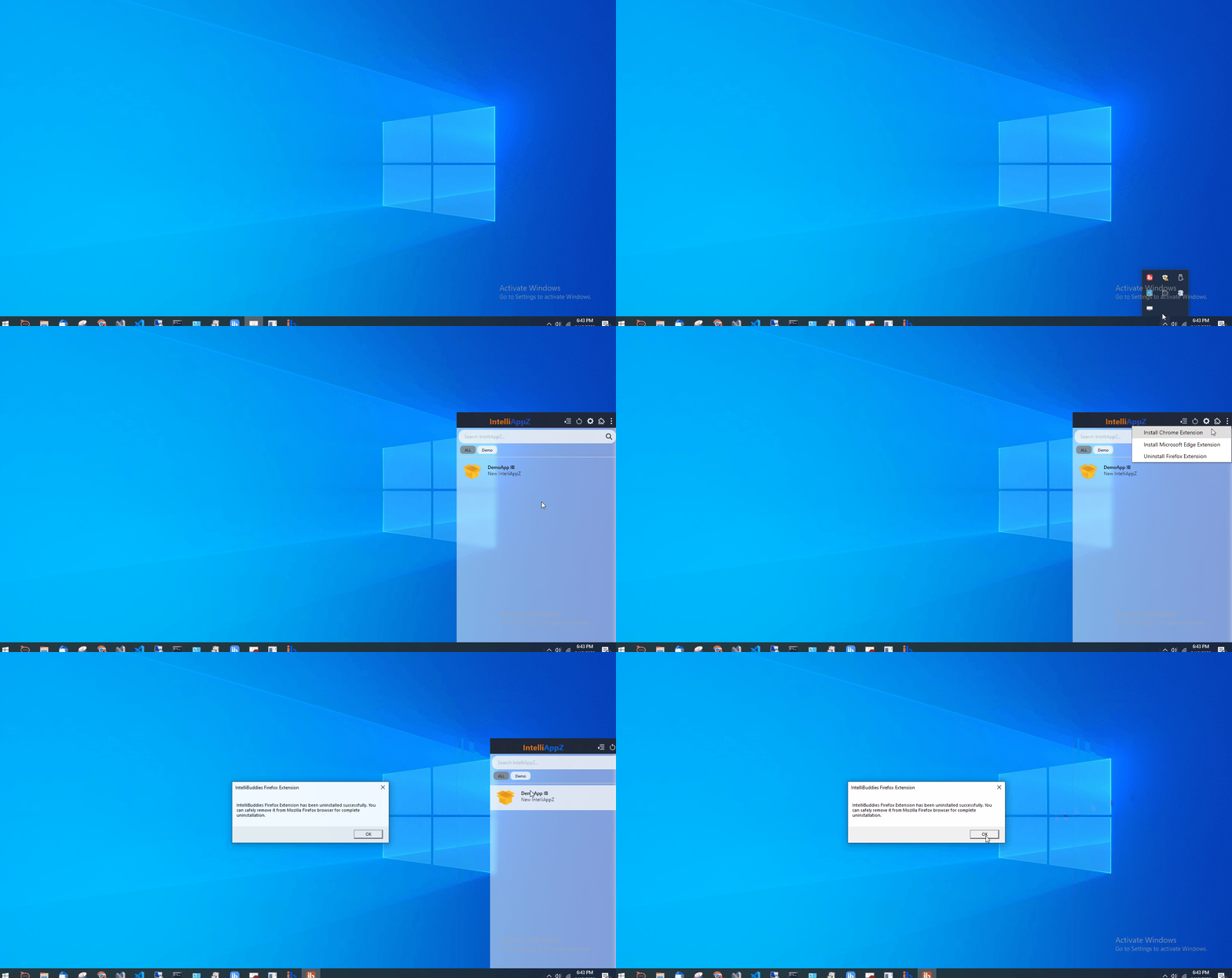
Uninstall Firefox Extension
To uninstall the Firefox extension, select the option labeled Uninstall Firefox Extension.
Upgrade Firefox Extension
If you have the IntelliAppZ installed and require the latest Firefox extension, click the Upgrade Firefox Extension option from the menu to complete the upgrade.