Activity Configuration
Activities are configured through the Activity Configuration Dialog, which provides a unified experience for configuring activity settings, accessing workflow data, and building dynamic expressions.
The Activity Configuration Dialog is available when creating or editing an activity within Agent Builder.
Overview
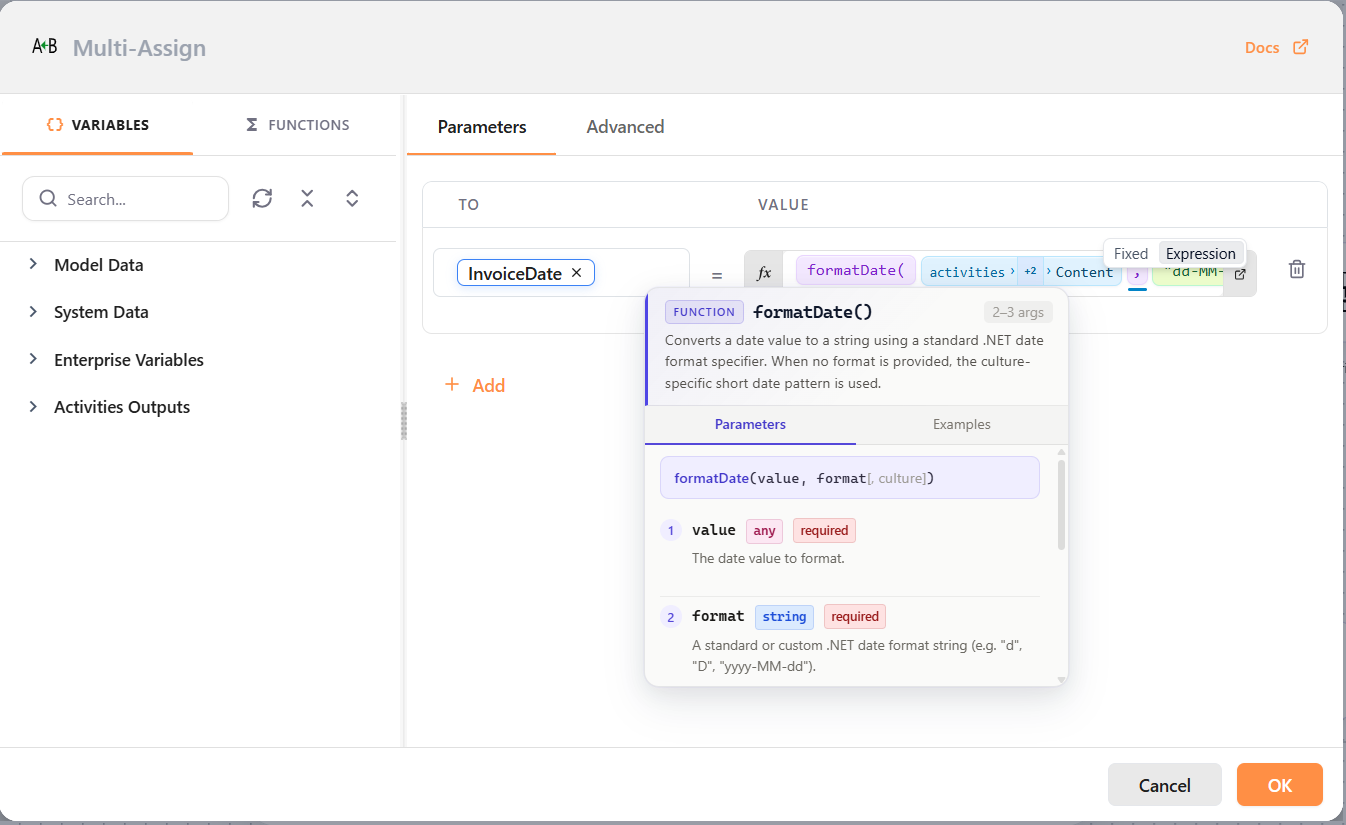
The Activity Configuration Dialog combines activity configuration, process data access, and expression-building capabilities within a single interface.
The dialog consists of three primary areas:
- Configuration Tabs – Activity-specific settings and options.
- Variables Panel – Access to workflow data and activity outputs.
- Functions Panel – Access to Liquid functions and templates.
Configuration Tabs
The right side of the dialog contains activity-specific configuration tabs.
Parameters
The Parameters tab contains the primary settings required by the activity.
The available fields depend on the activity being configured.
Advanced
The Advanced tab contains optional settings that control advanced activity behavior.
The available options depend on the activity being configured.
Variables Panel
The Variables tab provides access to workflow data that can be used while configuring activity inputs.
Variables can be inserted into supported fields to create dynamic activity configurations.
The available variables depend on the current workflow and may include process data, system data, enterprise variables, and outputs from previously executed activities.
For more information, see Process Data.
Functions Panel
The Functions tab provides access to built-in Liquid functions and templates.
Functions can be combined with variables to create dynamic expressions and transform values at runtime.
The available functions are organized by category and can be searched directly from the Functions panel.
Search
Both the Variables and Functions panels provide a search capability to help locate items quickly.
Use the search box to find:
- Variables
- Activity outputs
- Functions
- Templates
Search results are filtered as you type.
Dynamic Configuration
Many activity fields support dynamic expressions.
Dynamic configuration allows activity behavior to be determined at runtime using workflow data, activity outputs, system values, enterprise variables, and Liquid expressions.
This enables workflows to adapt to changing business conditions without requiring hardcoded values.