Horizontal Swimlane
Description
Organizes the workflow canvas into horizontal lanes representing roles, teams, or processing stages. For example, a support workflow can use Customer Service, Technical Support, and Billing lanes.
Lanes organize the diagram; placing an activity in a lane does not assign its runtime task to that lane's role. Configure participants on the task activity itself.
Design-Time Configuration
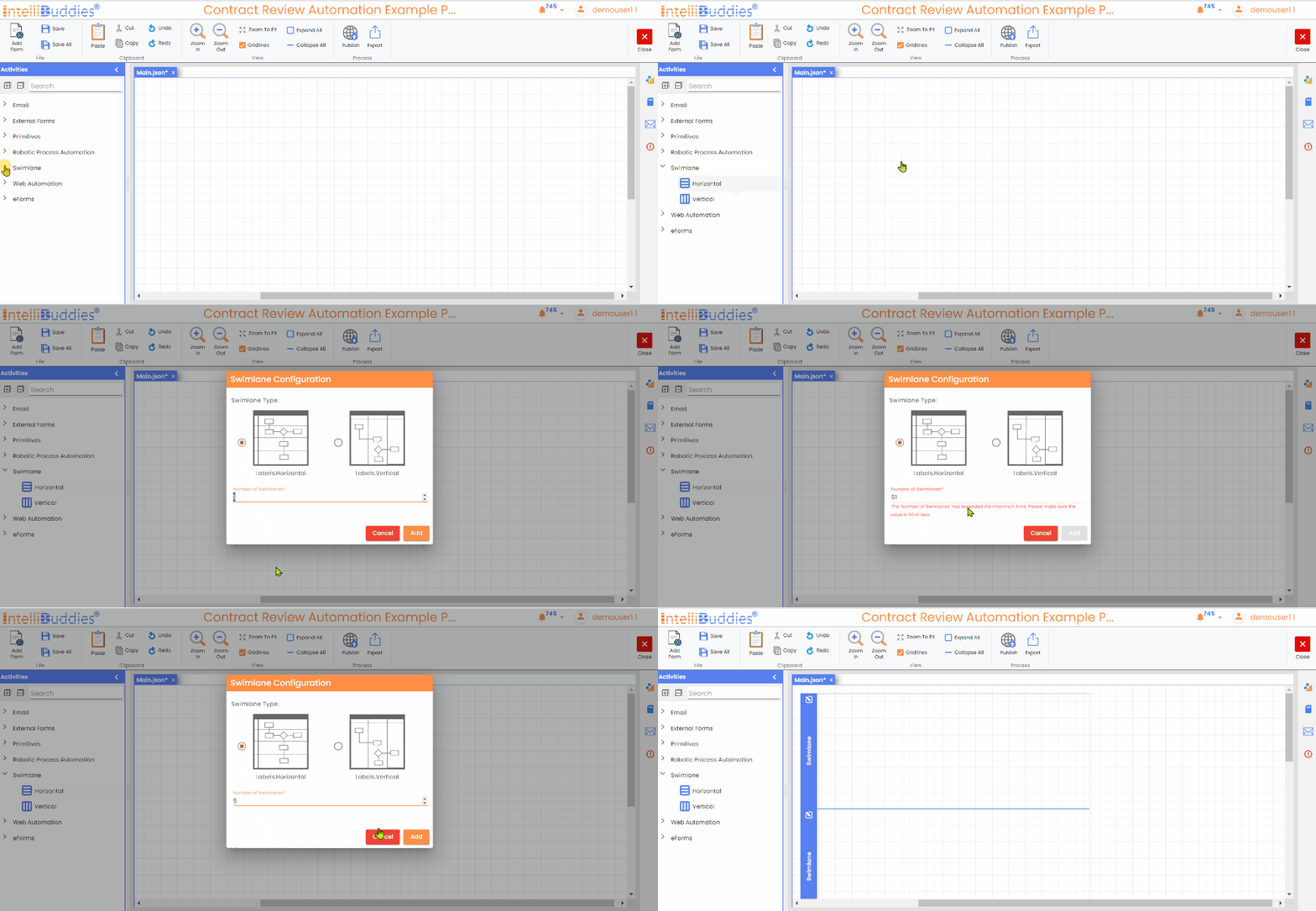
Dragging and dropping the Horizontal Swimlane activity will open the Swimlane Configuration dialog.
- Swimlane Type - It sets the swimlane type to Horizontal.
- Number of Swimlanes - Specify the desired number of swimlanes to add, with a maximum limit of 50.
- Click the Add button
Display Text
Specify the name of this activity to be shown as part of your process.
Changing Header Color
Specify the color for the header by using the drop-down menu or by entering the color code directly.