Generate QR Code
Description
The Generate QR Code activity creates a QR code image from a provided content string and saves it to a user-specified location.
Properties
Input
- Content – Enter the text or value that the activity encodes into the QR code.
- File Name – Specify the name of the generated QR code image file.
- Output Folder Path – Specify the folder path where the activity saves the QR code image.
Misc
- Display Name – Assign a display name to the activity.
- Private – By default, the system logs the activity’s property values during workflow execution. Select Private to prevent logging.
Optional
- Continue On Error – Specify whether the automation continues when the activity encounters an error. This property accepts Boolean values (True or False) and defaults to False.
When you place this activity inside a Try-Catch block and set Continue On Error to True, the system does not throw the error.
- Caption – Enter the text that appears below the generated QR code.
- Overwrite – Specify whether the activity overwrites an existing file with the same name. If you set this value to False and the file already exists, the activity throws an error. The default value is False.
- Output Image Format – Select the image format used to save the QR code (for example, PNG or JPEG). The default format is PNG.
Ensure that the specified file name does not already exist in the target folder. If the activity finds a file with the same name and Overwrite is set to False, it throws an error.
Example
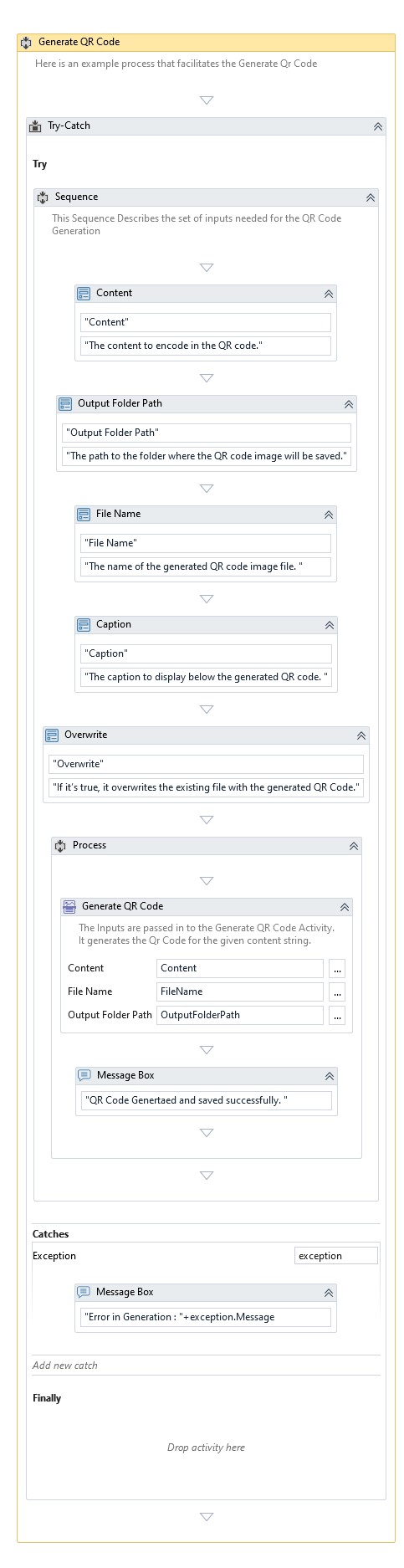
The example process below demonstrates how to use the Generate QR Code activity. When the process runs, it takes an input string provided by the user and passes it to the activity. The activity then generates a QR code image using the specified file name and saves it to the selected output folder. If configured, the activity also adds a caption below the QR code.
After the system completes QR code generation, it displays a confirmation message.
Download Example