Webhook Management
Description
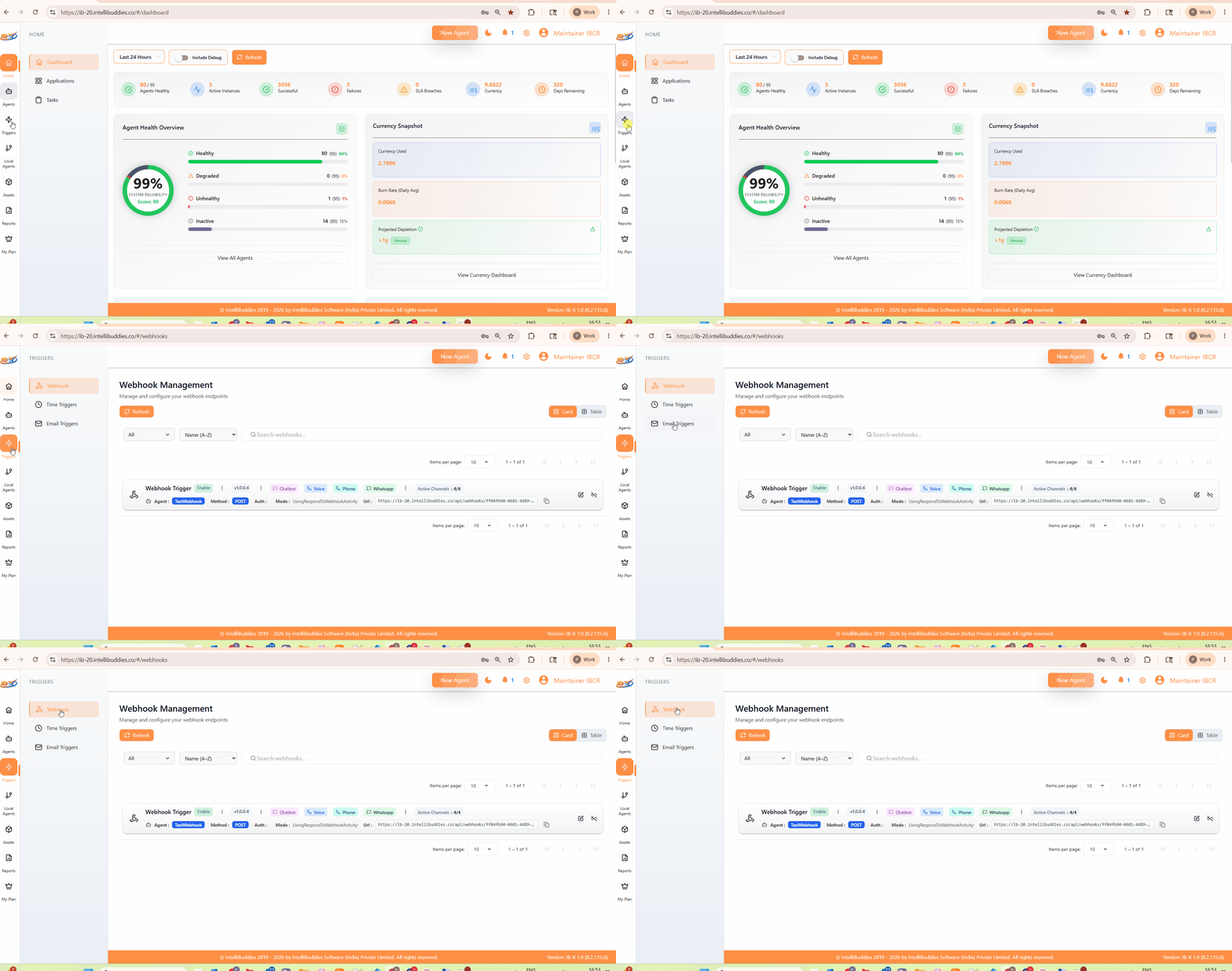
The Webhook Management page displays all published webhook triggers associated with BPA workflows.
Use this page to:
- View registered webhook endpoints
- Monitor webhook trigger status
- Enable or turn off webhook triggers without modifying the workflow
- Open the Agent Builder to update the webhook configuration
- Retrieve webhook endpoint URLs for external integrations
This page provides centralized management for all deployed webhook-based workflow triggers within the AI Command Center.
How to Access
From the AI Command Center, navigate to:
Triggers → Webhook
Controls and Filters
The Webhook Management page provides multiple controls for searching, filtering, and managing webhook triggers.
Refresh
Reloads the webhook trigger list and retrieves the latest trigger configuration and status information.
Filters and Sorting
Use the available filter and sorting options to narrow down the displayed webhook triggers.
Supported operations may include:
- Filter by trigger status
- Sort alphabetically
- Sort by creation or update order
- Filter enabled or disabled triggers
Search
Use the search box to locate webhook triggers by name quickly.
View Toggle
Switch between the available display modes based on your preference.
| Option | Description |
|---|---|
| Card View | Displays webhook triggers using a card-based visual layout. |
| Table View | Displays webhook triggers using a structured tabular layout. |
Webhook Information
Only published webhook triggers appear in the Webhook Management page.
Each webhook entry may display the following information.
| Property | Description |
|---|---|
| Name | Represents the name of the webhook trigger and associated workflow process. |
| Status | Indicates whether the webhook trigger is currently enabled or disabled. |
| Method | Displays the HTTP method expected by the webhook endpoint. |
| Auth | Displays the configured authentication mechanism required for webhook access. |
| Mode | Displays the configured webhook execution mode. |
| URL | Displays the webhook endpoint URL used by external systems to invoke the workflow. |
| Actions | Provides management actions such as edit, enable, or disable. |
The webhook URL includes a copy action that lets you quickly copy the endpoint address for integration.
Enable and Disable Triggers
Disable
Turning off a webhook trigger deactivates the associated webhook endpoint.
While disabled:
- Incoming webhook requests are rejected
- The associated workflow is not triggered
- Existing workflow configuration remains unchanged
Enable
Enabling a webhook trigger activates the webhook endpoint and allows external systems to reinvoke the workflow.
Republishing the workflow is not required when only enabling or disabling a webhook trigger.
Edit Trigger Configuration
Use the Edit action to open the workflow in the BPA designer.
The designer automatically focuses the Webhook Trigger activity, allowing you to modify:
- Webhook endpoint configuration
- Authentication settings
- HTTP method configuration
- Execution behavior
- Request handling settings
After making changes, publish the workflow again to register the updated webhook configuration.
Notes
- Only published workflows register webhook triggers.
- Saving or updating a draft workflow does not update the registered webhook configuration.
- Trigger enable or disable operations do not modify the workflow definition.
- Webhook endpoint availability depends on server accessibility and network configuration.
- External systems invoking the webhook must comply with the configured authentication and request requirements.
Related
- Webhook Trigger – Configure webhook-based workflow triggers in the BPA designer.