AI Command Center Admin Configuration
Introduction
The AI Command Center Admin Configuration page is displayed during the initial deployment and setup of the AI Command Center. It allows you to define the credentials and basic details for the AI Command Center Administrator.
note
This configuration page is available only during deployment and is not accessible from within the AI Command Center after setup is complete.
Admin Configuration
Configuring a AI Command Center Administrator during deployment is optional.
- If you prefer to configure the AI Command Center Administrator at a later stage, you may click Skip and continue with the remaining setup steps.
- You can return to this configuration later by updating the administrator details through supported administrative processes.
Configuration Types
The following options are available for configuring the AI Command Center Administrator:
| Option | Description |
|---|---|
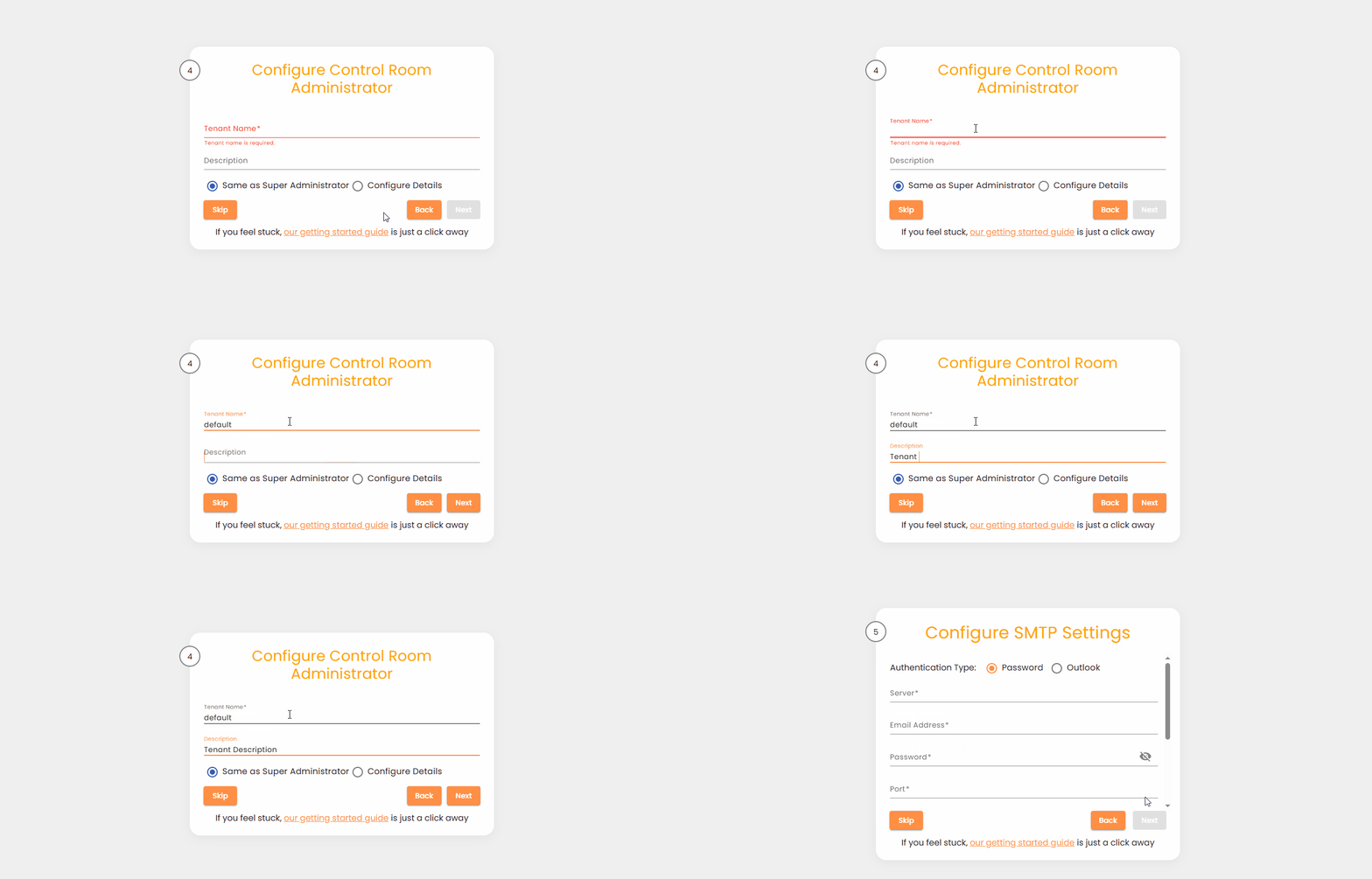
| Same as Super Administrator | Uses the existing Super Administrator configuration to create the AI Command Center Administrator. |
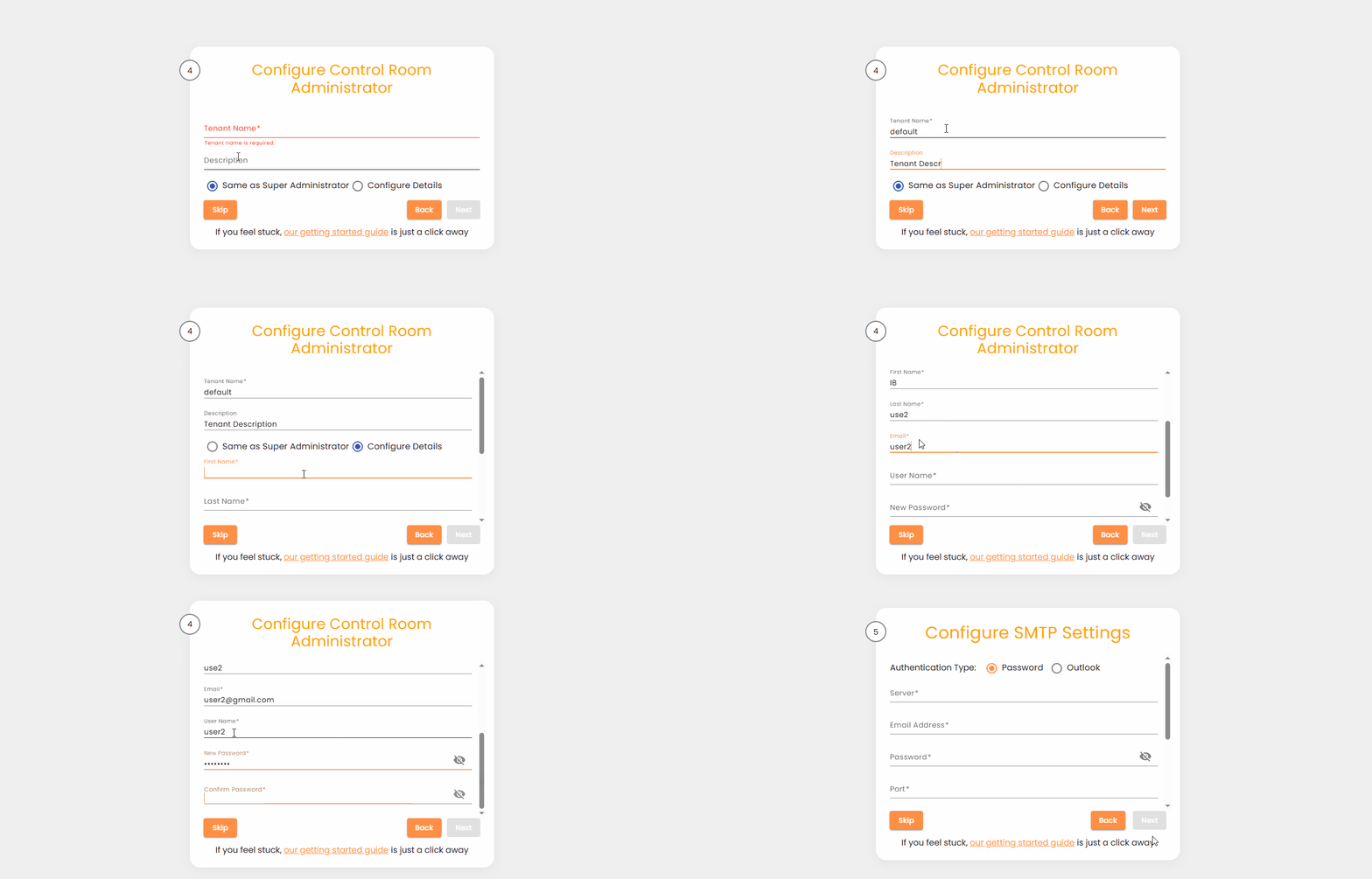
| Setup New Administrator | Allows manual entry of the required details for the AI Command Center Administrator. |
Same as Super Administrator
Selecting this option applies the Super Administrator’s credentials to the AI Command Center Administrator.
Configuration Fields
| Field | Description |
|---|---|
| Tenant Name | The tenant name for the AI Command Center Administrator. The value root is not allowed. |
| Description | Optional description for the AI Command Center Administrator. |
Behavior
- When Same as Super Administrator is selected, the AI Command Center Administrator is created using the Super Administrator’s username and password.
- No additional user details are required in this mode.
Configure Details
Selecting this option allows you to define a dedicated AI Command Center Administrator with custom credentials.
Setup New Administrator
| Field | Description |
|---|---|
| Tenant Name | The tenant name for the AI Command Center Administrator. The value root is not allowed. |
| Description | Optional description for the AI Command Center Administrator. |
| First Name | First name of the AI Command Center Administrator. |
| Last Name | Last name of the AI Command Center Administrator. |
| Email address of the AI Command Center Administrator. | |
| Username | Username for logging into the AI Command Center. |
| Password | Password for the AI Command Center Administrator account. |
Navigation and Save
- You may navigate between previous and next setup steps to review or update your entries.
- After providing valid values for all required fields, click Next to save the configuration and continue with the deployment process.