Super Admin Configuration
Introduction
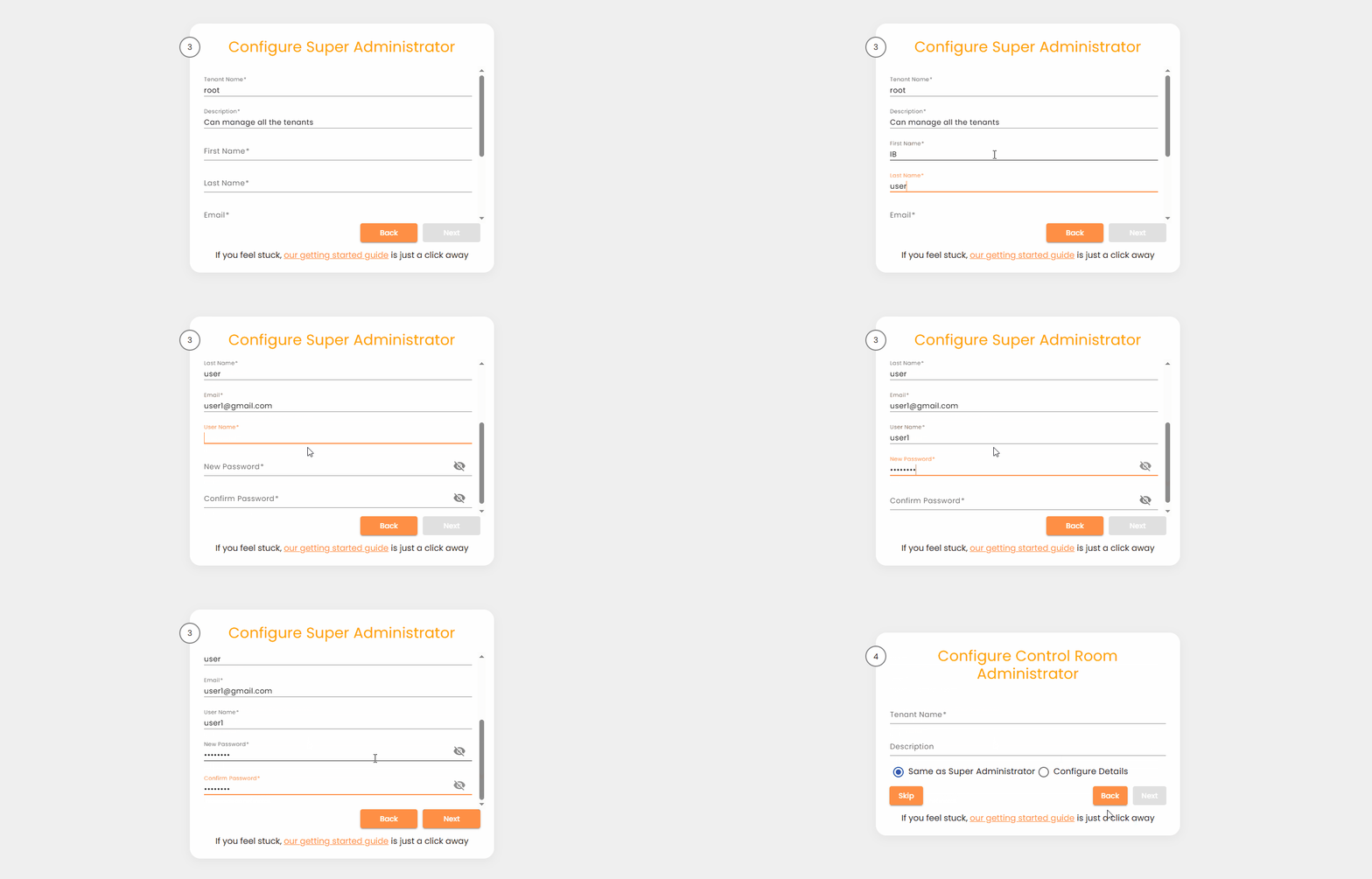
The Super Admin Configuration page allows you to define the details of the Super Administrator, who serves as the highest administrative authority within the AI Command Center. The Super Administrator is responsible for managing tenants and performing system-wide administrative operations.
This configuration is performed during the initial AI Command Center setup.
Super Administrator Responsibilities
The Super Administrator has access to critical administrative capabilities, including:
- Managing tenants under Administration → Tenants
- Configuring system-wide settings such as SMTP under Administration → Settings → SMTP
Configuration Fields
Provide the required information to configure the Super Administrator account.
| Field | Description |
|---|---|
| Tenant Name | Fixed to root and cannot be modified. |
| Description | A default description is provided and can be updated if required. |
| First Name | First name of the Super Administrator. |
| Last Name | Last name of the Super Administrator. |
| Email address of the Super Administrator. | |
| Username | Username used to log in as the Super Administrator. |
| Password | Password used by the Super Administrator to log in to the AI Command Center. |
Important Notes
- The Username and Password configured here are required to access the AI Command Center as the Super Administrator. Ensure these credentials are stored securely.
- The Super Administrator configuration can be reused when creating the AI Command Center Administrator, provided a different tenant name is specified.
- During setup, you may navigate to previous or next steps at any time to review or update your entries.
Saving Your Configuration
After entering valid values for all required fields, click Next to save the configuration and proceed to the next step in the setup process.