Regional Settings
Introduction
The Regional Settings page allows you to configure global regional preferences for the AI Command Center. These settings determine how date, time, and language-related values are displayed across the platform.
note
Regional settings configured here are applied globally and affect all automation users.
Regional Settings Configuration
Configuring regional settings during setup is optional.
- If you prefer to configure these settings later, you may click Skip to complete the setup.
- Default values are automatically applied when this step is skipped.
- You can review and update these settings later, if required.
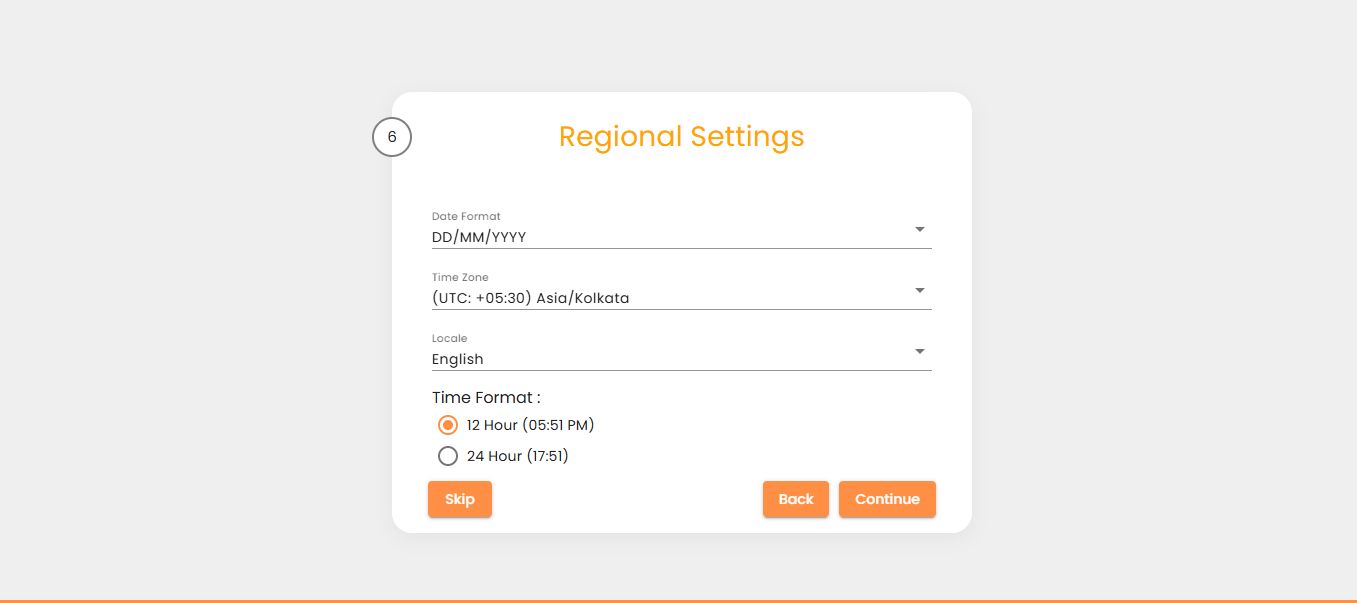
Available Settings
| Setting | Description |
|---|---|
| Date Format | Display format for date values. Default format: DD/MM/YYYY |
| Time Zone | Time zone used by the AI Command Center. Default: UTC |
| Locale | Language used for the AI Command Center user interface. Default: English |
| Time Format | Display format for time values. Available options: 12-hour or 24-hour. Default format: 12-hour |
Saving Your Configuration
- Click Continue to save the selected regional settings and make them effective.
- Once this step is completed, the setup process concludes.
- You will then be redirected to the AI Command Center login page to begin using the system.