Auditing AI Command Center Activities
Overview
The Audit tab allows administrators to monitor and review activities performed within the AI Command Center. Audit logs capture user actions across the platform, ensuring traceability, accountability, and compliance. The Audit tab is available only to users with the appropriate permissions.
How to access:
From the AI Command Center, open Settings (⚙️) and navigate to Additional → Logs -> Audit Logs.
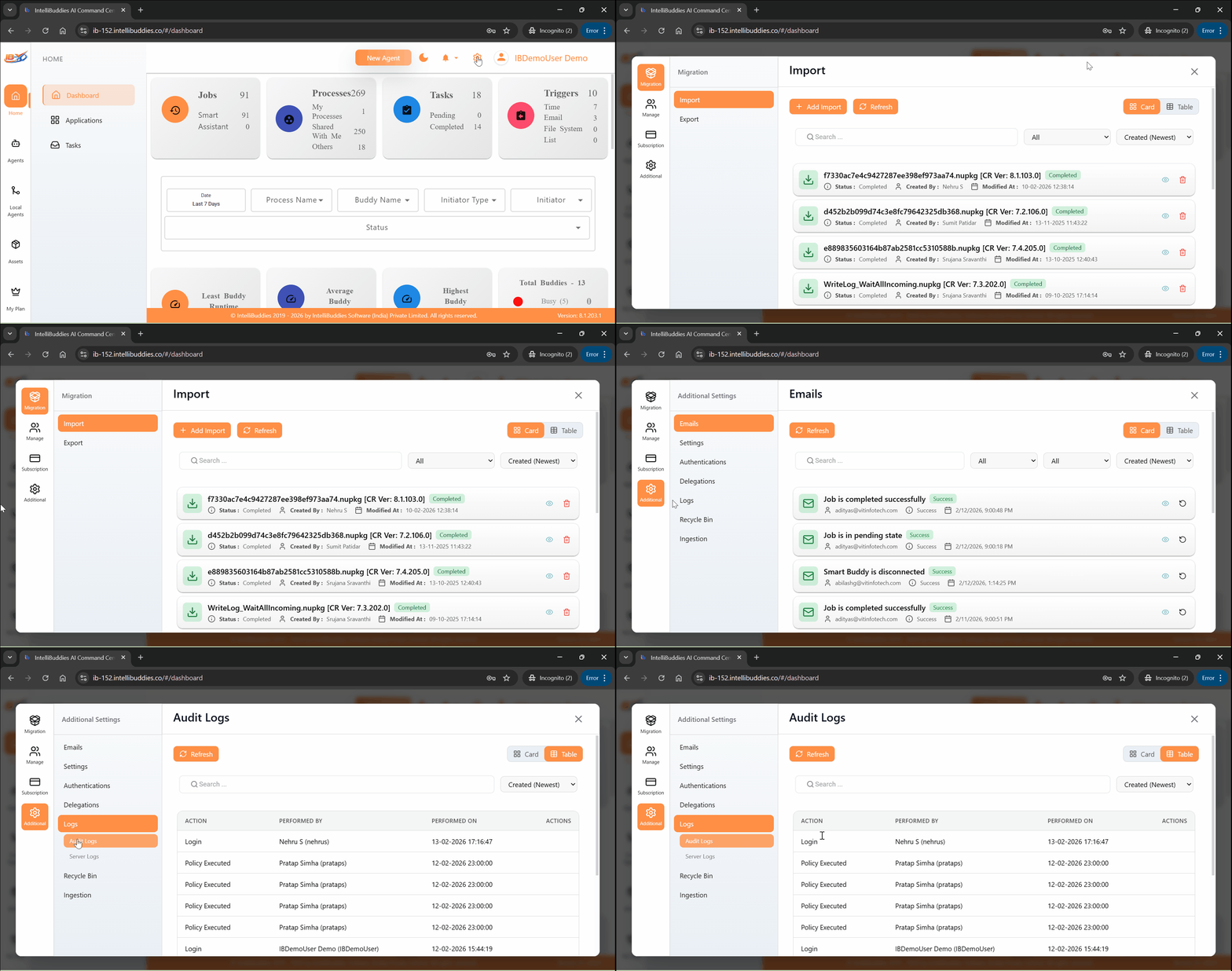
Audit Log Details
The Audit log records activities performed by users within the AI Command Center.
Each audit entry contains the following information:
| Column | Description |
|---|---|
| Action | The action that was performed. |
| Performed By | The user who performed the action. |
| Performed On | The date and time when the action occurred. |
| Details | Additional information describing the action. |
Key Characteristics
- All user activities are recorded automatically.
- Audit logs provide visibility into configuration changes and operational actions.
- Logs support governance, compliance, and internal reviews.
- Audit entries are read-only and cannot be modified.
Summary
The Audit feature provides a comprehensive record of activities performed within the AI Command Center, enabling organizations to maintain transparency, traceability, and operational control.