Viewing AI Command Center Server logs
The Server Logs section allows administrators to browse, review, download, and forward AI Command Center server log files.
Server logs provide detailed system-level information useful for troubleshooting, monitoring, and auditing platform activity.
The Server Logs section is available only to users with the appropriate permissions.
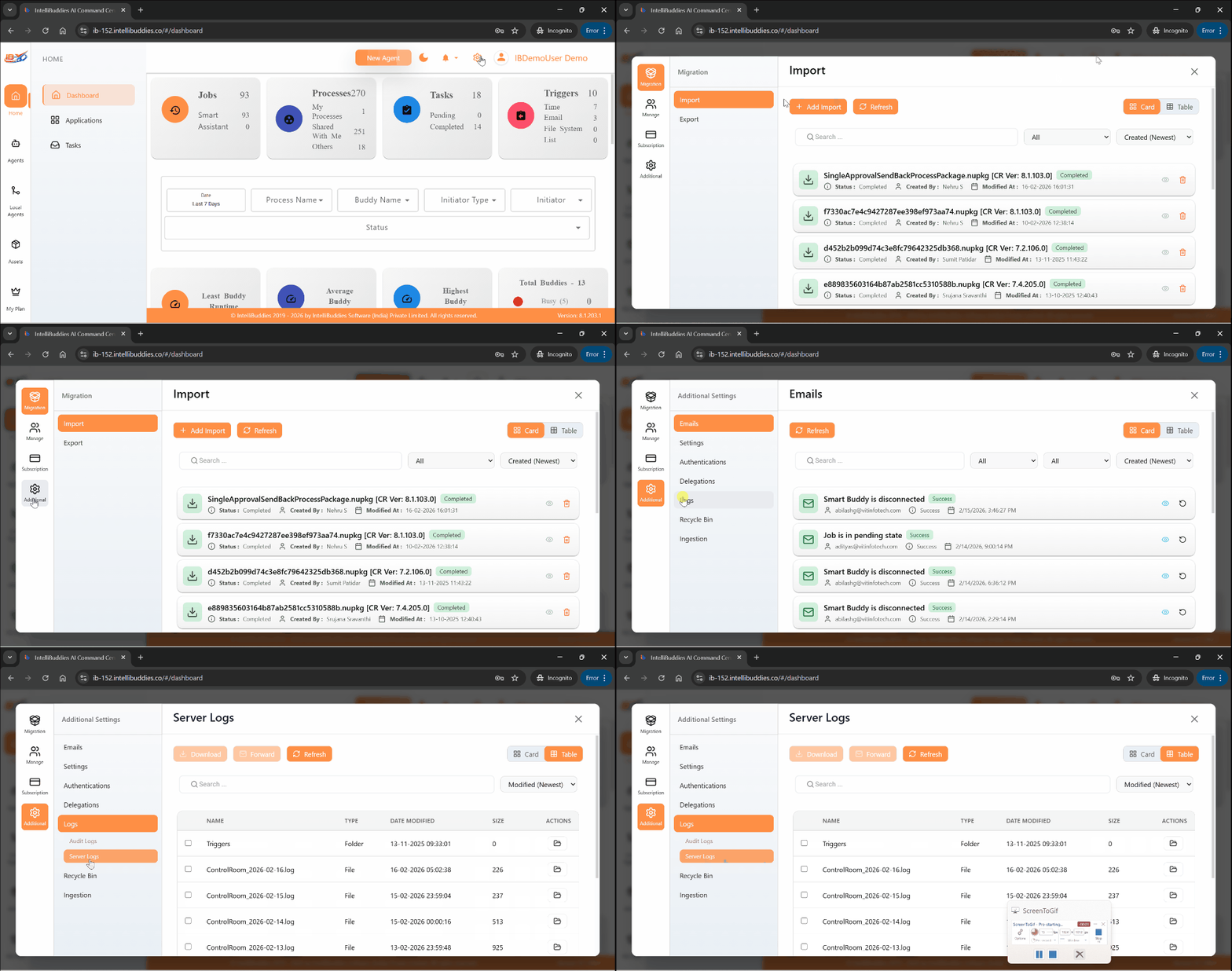
How to access:
From the AI Command Center, open Settings (⚙️) and navigate to
Additional → Logs → Server Logs.
Access to this page and its operations requires the appropriate View Server Logs Permissions.
Available Actions
From the Server Logs section, administrators can perform the following actions:
| Options | Description |
|---|---|
| View | Open and review server log files. |
| Download | Choose this option to download the selected log file. |
| Forward | Choose this option to forward the selected server log file through email. |
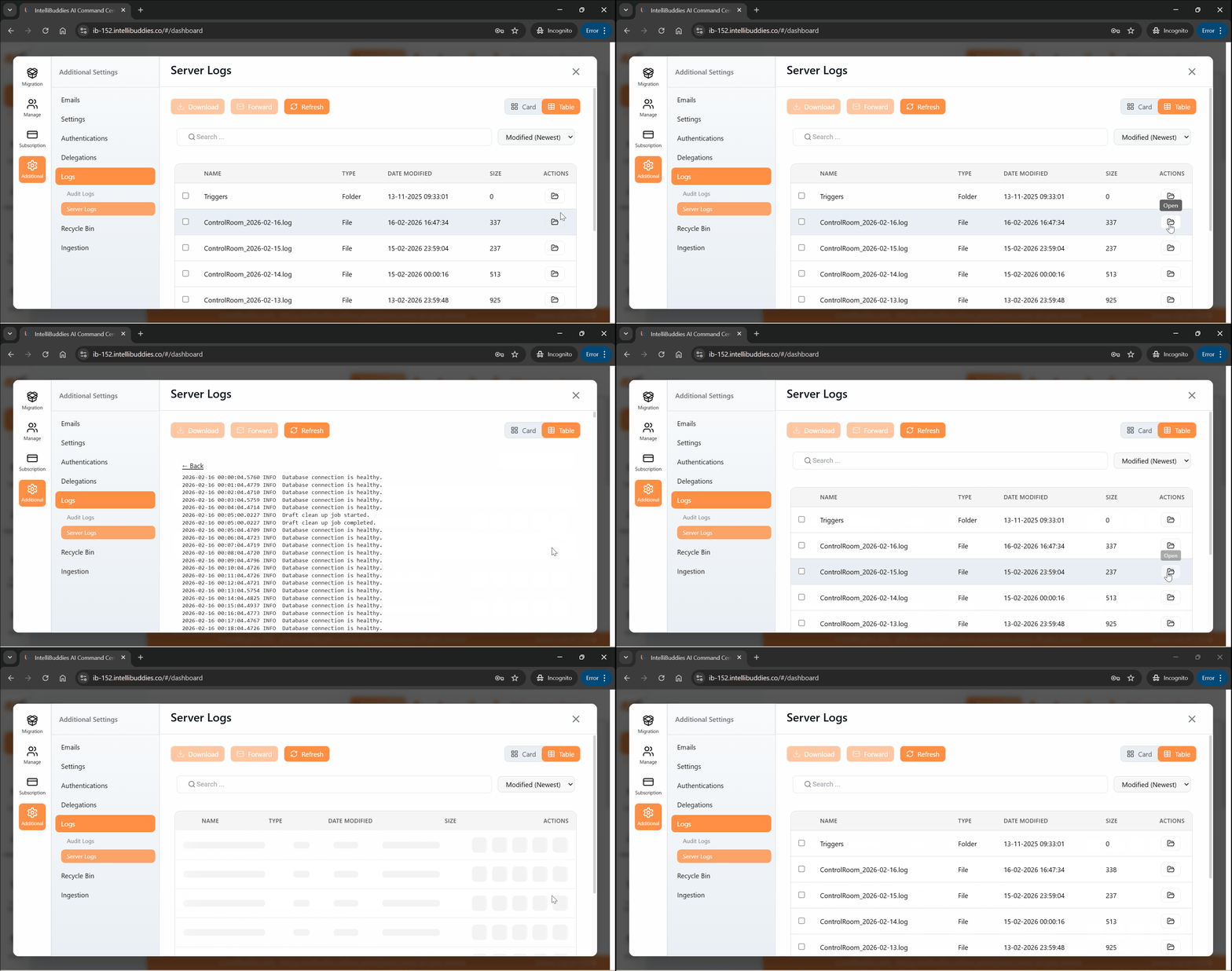
Viewing log file
To review a server log file:
- Select the desired log file
- Use the View action
The selected log file opens in a read-only view for inspection.
Downloading log file(s)
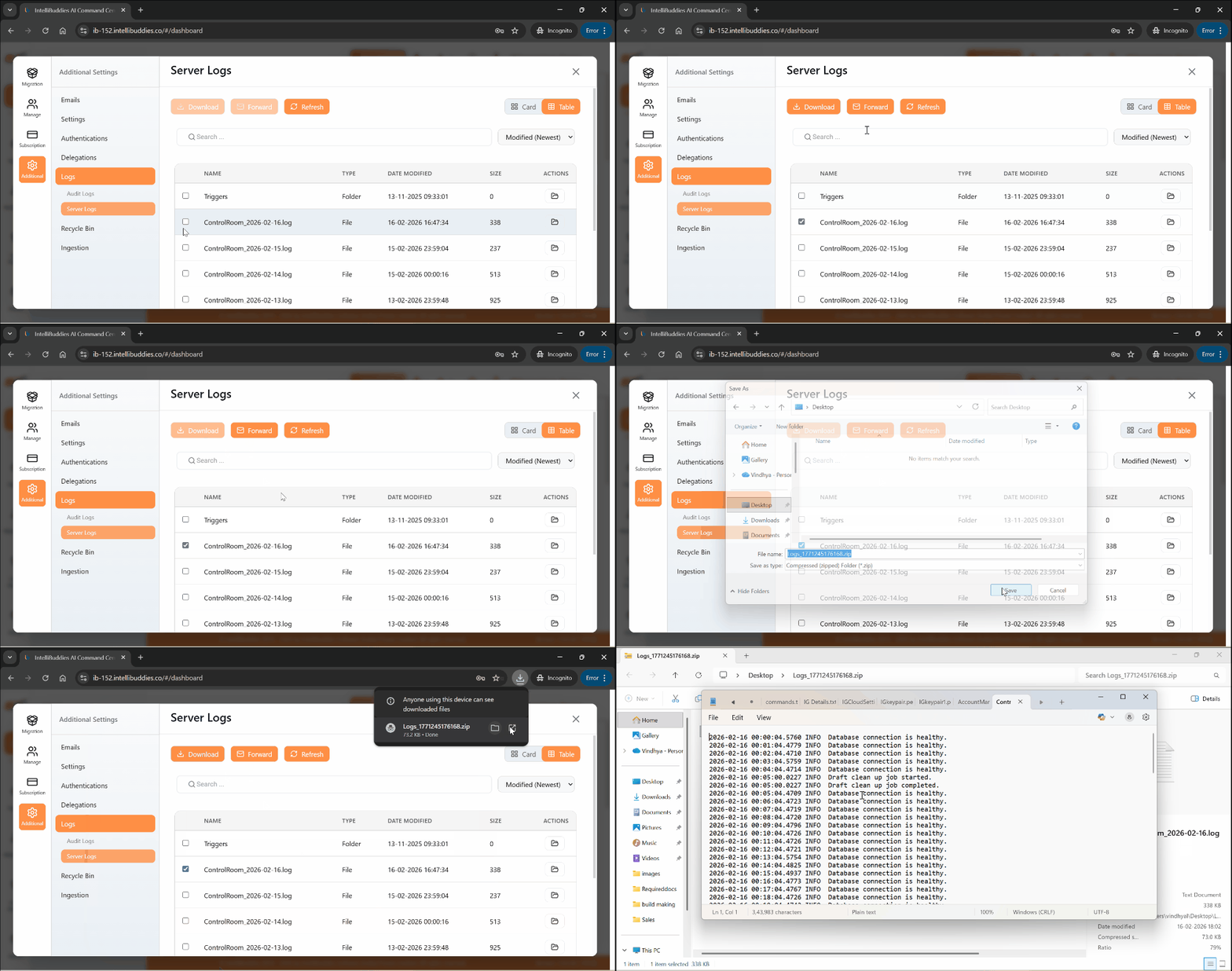
You can download the AI Command Center Server log files from this page:
- Select one or more log files
- Use the Download action in the Toolbar
The selected log files are downloaded to your local system.
Forwarding log file(s)
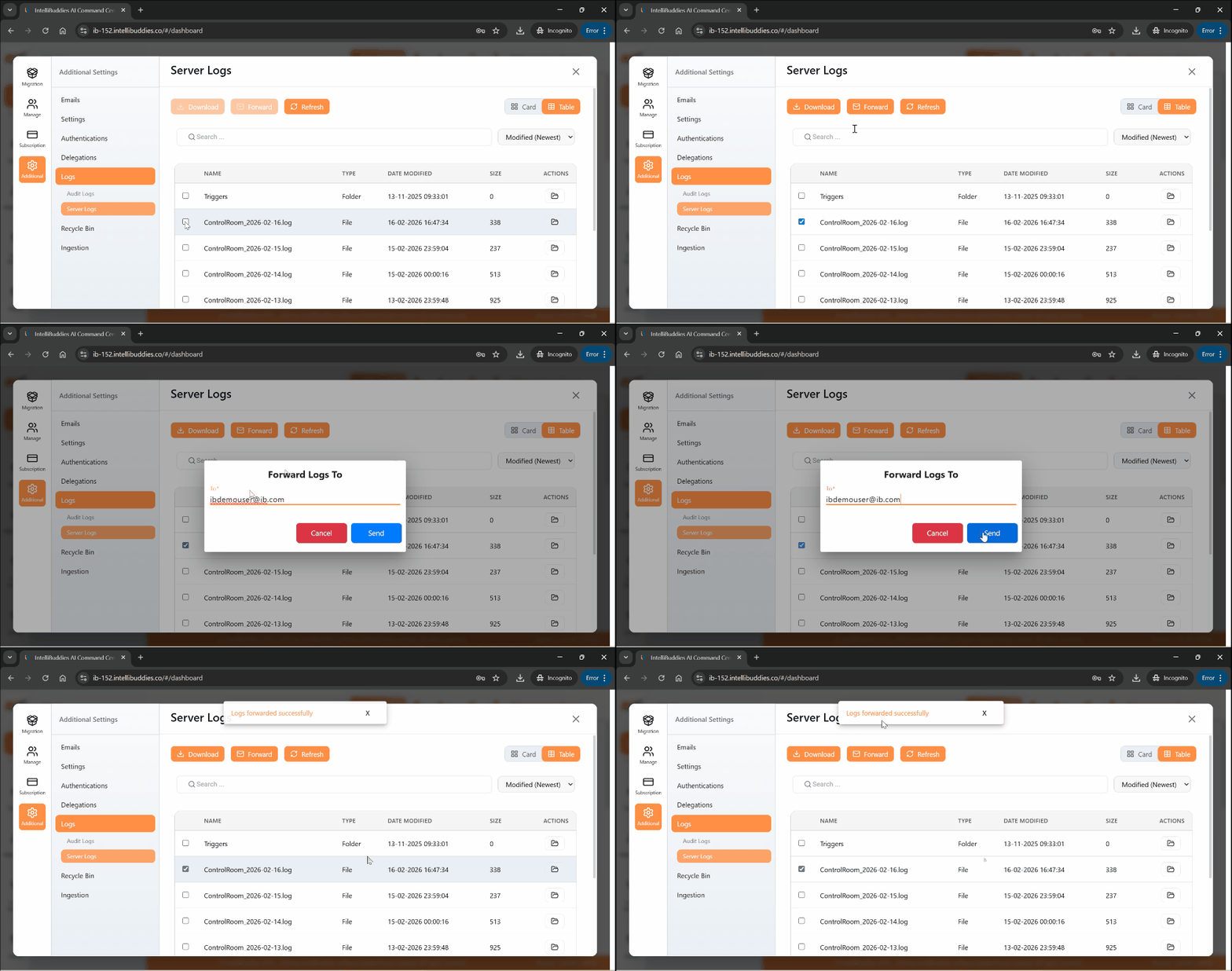
To forward server log files via email:
- Select one or more log files
- Use the Forward action in the Toolbar
- Provide one or more recipient email addresses (separated by semicolons)
- Confirm the action
The selected log files are sent to the specified recipients.
Key Notes
- Server logs are read-only and cannot be modified.
- Forwarding log files requires properly configured SMTP settings.
- Access to server logs is controlled through role-based permissions.
Summary
The Server Logs section provides administrators with secure access to system log files for troubleshooting, diagnostics, and operational monitoring, ensuring visibility into platform activity while maintaining access control.